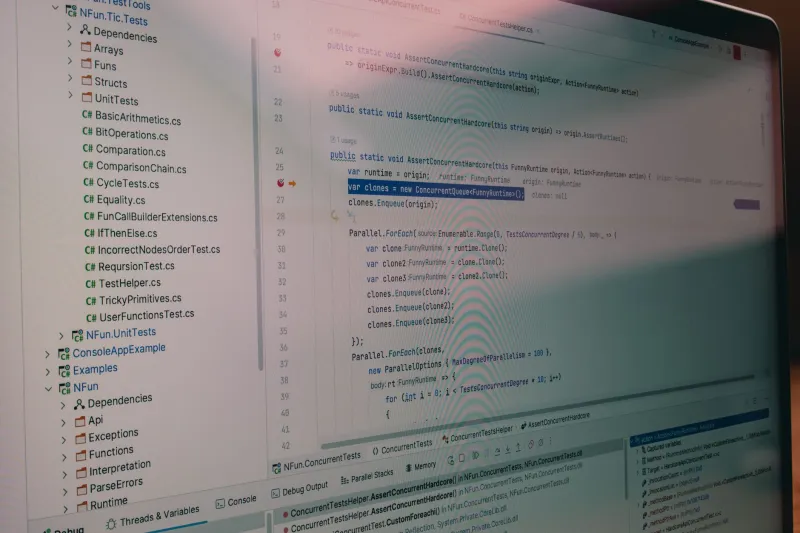
The Sandbox Looked Perfect Until We Broke It: A Pre-Pilot Stress Test Checklist

Photo: Pablo Andrés Ortega Chávez, GFDL 1.2, via Wikimedia Commons
Every SaaS demo eventually arrives at the same moment: a cheerful sales engineer opens a sandbox and says, poke around. It looks great. The dashboard is clean, the sample records are tidy, and nothing has a stale timestamp from three years ago. That is exactly the problem.
A sandbox built for a demo is a theme park. The rides work, the lines are managed, and nobody spills popcorn on the controls. A sandbox built for a real pilot is a test track. It has curves, rough pavement, and a few cones you are supposed to hit so you learn where the edges are.
At TryChec, we spend a lot of time in trial accounts and sandbox tenants. The ones that impress in the first ten minutes are rarely the ones that survive a real team. Here is the checklist we use before we trust a sandbox with anything that matters.
Why a clean sandbox is a warning sign
Vendors seed sandboxes with data that makes the product look smart. Names are consistent, dates line up, permissions are generous, and every workflow has an obvious next step. That is fine for a guided tour. It is useless for pressure testing.
Real teams bring duplicate contacts, half-migrated spreadsheets, contractors who need access for two weeks, and a VP who wants a report that nobody defined. If the sandbox cannot handle a messy Tuesday, it will not handle your pilot.
The pre-pilot stress test
1. Import ugly data
Do not stop at the sample CSV. Build a file with missing fields, duplicate emails, odd Unicode characters, very long text fields, mixed date formats, and at least one column that is technically optional but operationally important. Watch how the importer handles errors. Does it tell you which row failed and why, or does it silently skip the row and move on?
2. Invite the wrong people
Add a contractor, a read-only guest, a finance user who should see invoices but not projects, and an admin who should not be able to delete everything. Then remove one of them. Check whether access disappears immediately or lingers in a sharing dialog. Permission bugs are boring until they are a security incident.
3. Break a workflow on purpose
Skip a required step. Create a record with no owner. Edit the same item from two browser tabs. Upload a file that is too large. Try to close a project with open tasks. A good tool tells you what is wrong. A great tool tells you what to do next. A bad tool lets you create an orphan record and then blames you in the audit log.
4. Test the limits you will hit in month three
Look for API rate limits, row caps, file-size limits, export limits, history retention, and automation run counts. Then find out what happens when you cross them. Is there a clear error, a graceful queue, or a mysterious failure that support explains with a link to an enterprise plan?
5. Simulate a broken integration
If the tool connects to Slack, Salesforce, HubSpot, or your data warehouse, break the connection. Revoke the token. Let a webhook fail. Send a payload with missing fields. You want to see retries, error logs, and a way to replay failed events. If the only recovery path is a support ticket, note that.
6. Time the admin chores
Bulk reassign 50 records. Change a permission for a group. Export an audit log. Set up a new workspace. These are the tasks that eat a pilot alive. If a five-minute job takes forty clicks, that is a real cost, even if the feature exists.
7. Verify the exit before you need it
Can you export everything you put in? In what format? Does the export include attachments, comments, and relationships, or just a flat list of names? We will cover offboarding in more detail elsewhere, but the trial is the right time to test it. Do not wait until renewal season to discover that your data is technically yours but practically trapped.
How to spot demo-friendly limits
Some limits are honest. Some are stagecraft. Watch for these phrases: available on enterprise, contact us for SSO, sandbox refresh is handled by your account team, and that is different in production. Any of those can be legitimate. Together, they are a warning that the sandbox is not the product you will actually run.
Also compare the sandbox tenant to the documentation. If the docs mention audit logs, API scopes, or retention controls that are missing from your trial, ask why. A good vendor will show you a production-like environment or a recorded walkthrough. A bad vendor will tell you not to worry about it.
A 90-minute script
Block an hour and a half with two people: one who knows the workflow and one who likes breaking things. Spend 30 minutes on data import and permissions. Spend 30 minutes on one core workflow, including the ugly path. Spend 15 minutes on integrations and limits. Spend 15 minutes writing down what failed, what was confusing, and what the vendor said they would fix.
That written record is more valuable than a demo scorecard. It gives you specific questions for the contract and specific risks for the pilot.
What passing looks like
A sandbox does not need to be perfect. It needs to fail in predictable ways. If the tool rejects bad data with a clear message, limits access when it should, logs admin changes, and lets you export your work, that is a strong signal. If every problem is met with a workaround, a roadmap promise, or a sales call, you are still in the theme park.
TryChec's rule is simple: test the ride before you buy the park. A sandbox that only works when someone else is driving is not a test track. It is a brochure with a login screen.